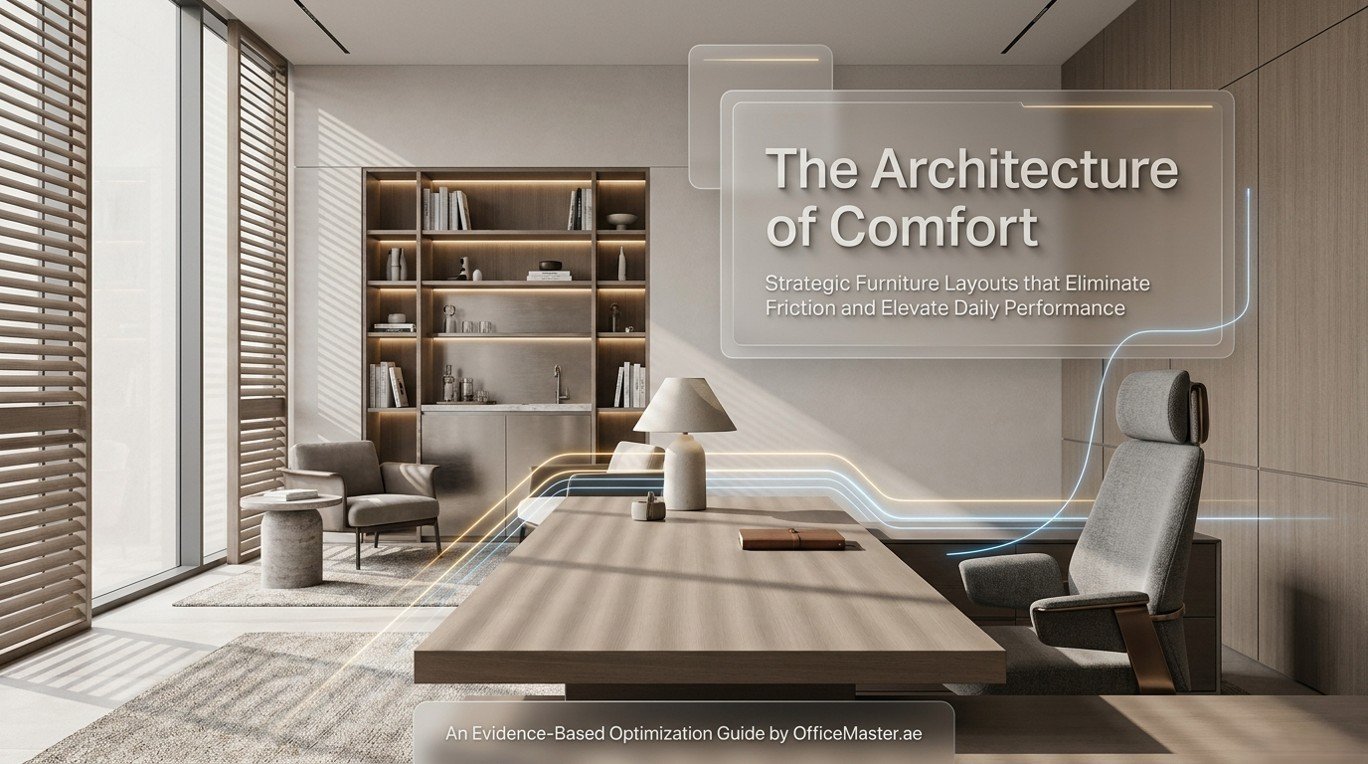
Most professionals spend between eight and ten hours per day at their workstations. Yet a significant proportion of that time is spent in environments that were arranged for spatial convenience rather than human comfort. The result is predictable: chronic back pain, cognitive fatigue, reduced concentration, and diminished output. What many business owners and employees fail to recognize is that the solution does not always demand an expensive renovation or a complete furniture overhaul. In most cases, a series of deliberate, well-informed adjustments to the existing office furniture layout can produce immediate and measurable improvements in both physical comfort and workplace productivity.
This guide, developed for the discerning clients of OfficeMaster.ae, presents evidence-based strategies, expert recommendations, and actionable frameworks for rethinking the way office furniture is positioned, grouped, and optimized. Whether you manage a sprawling corporate headquarters in Business Bay or a boutique agency in Dubai Media City, the principles outlined here apply with equal force and deliver tangible, lasting results.
1. Why Office Furniture Layout Directly Impacts Daily Comfort
The relationship between spatial arrangement and human performance is well-documented across disciplines ranging from organizational psychology to occupational health. A disorganized or poorly optimized layout creates invisible friction throughout the workday: employees reach awkwardly for peripherals, twist their spines to communicate with colleagues, squint against poorly positioned lighting, and absorb the acoustic stress of poorly buffered sound environments. These micro-stressors compound over hours and weeks into serious ergonomic and psychological costs.
Research published in the Journal of Environmental Psychology demonstrates that employees in thoughtfully designed office environments report up to 32% higher satisfaction scores and demonstrate measurably lower rates of absenteeism than those in poorly arranged spaces. A landmark study by the World Green Building Council found that optimized office design can increase individual productivity by as much as 16%. In the context of office furniture Dubai deployments, where ambient temperature, cultural workspace norms, and high-density real estate all influence design decisions, these numbers represent both a competitive advantage and a tangible return on investment.
The furniture itself is only one component of the equation. How that furniture is positioned relative to natural light sources, walkways, collaborative zones, and private focus areas determines whether it supports or undermines the people using it. The following sections address each critical dimension of layout optimization.
Impact of Layout Optimization on Key Workplace Metrics
| Metric | Un-optimized Layout | Basic Optimization | Advanced Ergonomic Layout | Full Workspace Optimization | Source |
|---|---|---|---|---|---|
| Reported Comfort Level | 41% | 58% | 74% | 89% | CBRE, 2023 |
| Productivity Score | 62% | 71% | 82% | 94% | WGC Report |
| Musculoskeletal Complaints | High | Moderate | Low | Minimal | HSE UK |
| Space Utilization Efficiency | 54% | 67% | 79% | 91% | JLL, 2024 |
| Employee Retention Influence | Low | Moderate | High | Very High | Gallup, 2024 |
| Focus / Deep Work Time | 2.1 hrs/day | 2.8 hrs/day | 3.5 hrs/day | 4.4 hrs/day | Steelcase Global |
2. The Foundational Principle: Ergonomics Before Aesthetics
Premium office furniture is most effective when positioned to serve the human body rather than to satisfy a floor plan template. Office ergonomics Dubai professionals frequently encounter a common mistake: organizations invest heavily in high-specification chairs and adjustable desks but position them in configurations that negate their ergonomic benefits entirely. A height-adjustable desk placed with its back to a window, forcing screen glare onto the monitor, is ergonomically counterproductive regardless of its price point.
The foundational principle of any comfort-oriented layout strategy is to begin with the occupant’s body as the reference point and build the environment outward from there. This is not mere theory. The International Ergonomics Association defines ergonomics as the scientific discipline concerned with understanding interactions between humans and other elements of a system, and the profession that applies theory, principles, data, and methods to design in order to optimize human well being and overall system performance.
The Ergonomic Hierarchy of Layout Decisions
When re-configuring any workstation or office zone, apply decisions in the following priority order:
- Postural support: Ensure seating and desk height combinations permit neutral spinal alignment, with feet flat, thighs parallel to the floor, and forearms horizontal.
- Visual axis: Position monitors at arm’s length, with the top of the screen at or slightly below eye level to eliminate neck flexion.
- Reach zones: Organize frequently used tools and peripherals within the primary reach zone (a 30cm radius from a resting hand position) and secondary items within the extended reach zone.
- Ambient environment: After the physical positioning is optimized, address lighting angles, acoustic buffers, and thermal comfort relative to the workstation position.
- Collaborative adjacency: Position workstations to minimize disruptive cross-traffic while enabling natural visual communication for collaborative teams.
Ergonomic Comparison of Common Office Seating Configurations
| Configuration | Lumbar Support | Neck Strain Risk | Hip Pressure | Focus Rating | Comfort Score / 10 |
|---|---|---|---|---|---|
| Standard Fixed Chair | Poor | High | High | Moderate | 4.2 |
| Height-Adjustable Chair | Moderate | Moderate | Moderate | Good | 6.1 |
| Full Ergonomic Task Chair | Excellent | Low | Low | Excellent | 8.7 |
| Sit-Stand Desk + Ergonomic Chair | Excellent | Very Low | Minimal | Excellent | 9.3 |
| Kneeling Chair | Good | Low | Low | Moderate | 6.8 |
| Saddle Seat | Good | Low | Moderate | Moderate | 6.5 |

3. Office Desk Arrangement: Seven Strategic Moves That Transform Comfort
The desk is the single most consequential piece of office furniture in any workstation configuration. Its orientation, height, surface depth, and relationship to surrounding elements collectively determine whether the occupant experiences flow or friction throughout the day. The following seven layout adjustments represent the highest-impact interventions available without requiring significant capital expenditure.
3.1 Rotate Your Desk 90 Degrees Relative to Window Light
One of the most common and costly layout errors in Dubai offices is positioning desks perpendicular to windows, meaning the occupant either faces directly into natural light or works with their back to a window that creates glare on the screen. The optimal arrangement places the desk parallel to the window wall, allowing natural light to enter from the side. This eliminates direct glare, reduces screen reflections, and maintains the psychological and physiological benefits of access to natural light, including regulation of circadian rhythms and reduction in eye strain.
Studies published in the Cornell University Human Factors and Ergonomics Laboratory confirm that workers with access to natural daylight report 84% fewer complaints of eyestrain, headaches, and blurred vision compared to those working under artificial light alone.
3.2 Implement the 90-90-90 Alignment Principle
The 90-90-90 rule is the gold standard of ergonomic desk arrangement. When seated at a correctly configured workstation, three right angles should be present simultaneously: ankles at 90 degrees, knees at 90 degrees, and elbows at 90 degrees when hands rest on the keyboard. Achieving this requires adjusting desk height (ideally using a height-adjustable desk), chair height, and monitor elevation in concert. No single adjustment in isolation produces the complete effect.

3.3 Create a Dedicated Document Zone
Many professionals place reference documents, notebooks, and secondary screens wherever space permits, which frequently requires sustained neck rotation or awkward reaching. Establishing a dedicated document zone to the dominant hand side of the primary monitor, within the secondary reach zone, eliminates this postural stress. A monitor arm that allows the secondary screen to be positioned at the same height and depth as the primary screen further reduces the cumulative cervical strain associated with multi-screen work.
3.4 Position the Monitor at Arm’s Length
The optimal viewing distance for a standard 24-inch monitor is between 50 and 70 centimeters from the eyes. Monitors positioned closer than 50cm force the eyes to converge excessively, accelerating visual fatigue. Monitors placed farther than 70cm encourage forward head posture as occupants lean toward the screen. A monitor arm enables precise positioning regardless of desk depth and represents one of the highest-value accessories in any ergonomic workstation investment.
3.5 Elevate the Laptop or Secondary Monitor
Laptop screens, when used on a flat desk surface, position the monitor far below optimal eye level, requiring sustained neck flexion that generates approximately 27 kilograms of force on the cervical spine according to research published in Surgical Technology International. A laptop stand that elevates the screen to eye level, paired with a separate keyboard and mouse, transforms a laptop workstation into a fully ergonomic configuration.
3.6 Reconfigure Cable Management to Eliminate Floor Hazards
Beyond the obvious safety concern, unmanaged cables create a visual and cognitive burden that subtly undermines focus. Cable management trays mounted beneath the desk surface, combined with desk grommets for vertical routing, eliminate floor-level tangles, reduce tripping hazards, and contribute to the visual clarity that supports sustained concentration. In open-plan offices, well-managed cabling also signals professional standards and contributes positively to brand perception.
3.7 Introduce Intentional White Space on the Desk Surface
Cognitive load research consistently demonstrates that visual clutter in the immediate work environment increases mental fatigue and reduces working memory capacity. Applying the principle of intentional white space, maintaining at least 40% of the desk surface completely clear of objects at all times, creates a visual anchor that supports focus and reduces the low-level anxiety associated with visible disorganization.

4. Office Seating Comfort: Positioning for Long-Duration Performance
Office seating comfort is not achieved through chair specification alone. The most sophisticated ergonomic chair on the market delivers sub-optimal results when positioned incorrectly or paired with a desk of incompatible height. The following strategies address the systematic optimization of seating within the broader layout context.
4.1 Establish the Correct Chair-to-Desk Height Relationship
The correct chair height places the occupant’s thighs parallel to the floor with feet flat. For individuals whose feet do not reach the floor at the correct chair height, a footrest is not a compromise but a necessary ergonomic component. Attempting to compensate by lowering the chair until feet touch the floor without adjusting the desk height results in a raised shoulder posture that strains the trapezius and deltoid muscles throughout the working day.
4.2 Activate and Adjust Lumbar Support
Many ergonomic chairs include adjustable lumbar support mechanisms that are never configured by the occupant. A lumbar support positioned correctly fills the natural inward curve of the lower spine (the lumbar lordosis), distributing spinal loading more evenly and significantly reducing the incidence of lower back pain. The lumbar support should contact the lower back between the waistband and the base of the shoulder blades, typically between 6 and 10 cm above the seat.
4.3 Configure Armrests as Forearm Supports, Not Elbow Rests
Armrests set too high elevate the shoulders, compressing the upper trapezius. Armrests set too low cause the occupant to lean sideways to access them, introducing lateral spinal flexion. The correct armrest height supports the forearm lightly when the elbow is at 90 degrees and the shoulders are fully relaxed. In most modern ergonomic task chairs, 4D armrests allow adjustment in height, width, depth, and pivot angle, enabling precise configuration for any body type.
4.4 Use Dynamic Sitting Strategies
Even the most precisely configured static seating creates physical stress through sustained compression of spinal discs and reduced circulation in the lower extremities. Incorporating intentional micro-movement into the workday, through strategies including scheduled sit-stand transitions every 30 to 45 minutes, periodic reclining to reduce spinal loading, and brief walking meetings for internal discussions, distributes physical stress across muscle groups and dramatically reduces cumulative strain. Sit-stand desks available from OfficeMaster.ae are specifically engineered to support seamless height transitions with programmable presets, minimizing the behavioral friction that would otherwise discourage regular position changes.
Sit-Stand Desk Usage — Recommended Daily Distribution
| Activity Phase | Sitting Duration | Standing Duration | Health Benefit |
|---|---|---|---|
| Morning (9AM–12PM) | 75 min | 45 min | Reduced lumbar compression |
| Post-Lunch (1PM–3PM) | 60 min | 60 min | Improved circulation, alertness |
| Afternoon (3PM–5PM) | 50 min | 70 min | Reduced afternoon fatigue |
| Late Session (5PM–7PM) | 45 min | 35 min | Sustained energy, reduced strain |
| Daily Optimal Ratio | ~55% sitting | ~45% standing | Overall musculoskeletal health |

5. Workspace Optimization for Dubai’s Unique Office Environment
Designing for workplace wellness in Dubai requires sensitivity to environmental factors that differ meaningfully from temperate office markets. The city’s intense solar exposure, frequent use of glass-facade buildings, reliance on mechanical air conditioning, and cultural norms around privacy and collaborative space all demand layout strategies calibrated to the local context.
5.1 Solar Exposure Management
Dubai receives an average of 3,509 sunshine hours annually, compared to London’s 1,481 hours. While this represents a significant asset in terms of access to daylight, it also creates intense glare and radiant heat challenges that must be addressed in any comfort-oriented layout strategy. Positioning workstations parallel to, rather than facing, east- and west-facing glazed facades allows natural light benefits to be captured without direct solar exposure. External blinds or solar control film on relevant glazing elements should be considered as complements to the furniture layout strategy rather than substitutes for it.
5.2 Air Conditioning Proximity
In many Dubai offices, HVAC vents are positioned in the ceiling above or immediately behind workstations, creating a direct cold air stream on the neck and upper back that generates muscular tension and thermal discomfort. Repositioning workstations to avoid direct HVAC exposure, or installing desk-level deflectors that redirect airflow, can eliminate this pervasive comfort issue at essentially zero cost. This single adjustment frequently generates more immediate comfort benefit than replacing an entire seating ensemble.

5.3 Privacy Zoning in Open-Plan Offices
Research from the Leesman Index consistently identifies a lack of privacy as one of the primary drivers of workplace dissatisfaction in open-plan environments. In Dubai’s office culture, where confidential client discussions and senior-level focus work frequently occur in shared spaces, privacy zoning is both a comfort and a business performance issue. Strategic placement of full-height bookcase units, acoustic panels, and soft seating dividers creates semi-private focus zones within open layouts without requiring structural intervention. OfficeMaster.ae modular partition range is specifically designed to enable this type of flexible zoning.
5.4 Collaboration Zone Separation
The physical separation of collaborative and focused work zones is one of the most impactful layout interventions available to office managers. Acoustic research published by the Acoustical Society of America demonstrates that a physical separation of just 5 to 7 meters between active collaborative spaces and individual focus stations reduces perceived noise distraction by approximately 40%. Positioning high-traffic areas such as printing stations, meeting points, and informal collaboration furniture near the core of the floor plate, away from the perimeter focus stations, achieves this separation while utilizing the layout logic of most modern Dubai office buildings.

6. Modern Office Design Principles That Elevate Daily Comfort
Contemporary workspace design has moved well beyond the binary choice between open-plan and private offices. The most effective modern office design frameworks integrate a spectrum of work settings, each tailored to a specific activity type, and connect them through logical circulation paths that support both individual productivity and spontaneous collaboration.
6.1 The Activity-Based Working (ABW) Framework
Activity-Based Working assigns furniture and space types to activities rather than to individuals. Under an ABW model, employees select their work setting based on the nature of their task: a focus pod for deep analytical work, a standing collaboration table for team ideation, a soft lounge for informal one-to-one conversations, and a phone booth for confidential calls. While full ABW implementation requires significant change management commitment, its core principles can be applied incrementally to existing office furniture arrangements through the strategic addition of alternative seating types and the deliberate differentiation of zones.
6.2 Biophilic Design Integration
Biophilic design, the integration of natural elements into the built environment, has a robust evidence base supporting its impact on comfort, stress reduction, and cognitive performance. Research published in the Journal of Experimental Psychology found that enriched spaces with plants and natural elements improved employee well being scores by 47% and productivity by 15% compared to lean, undercoated spaces. In the context of office furniture layout, biophilic principles translate to positioning workstations to face or adjoin planted areas, using natural material finishes on desk and storage surfaces, and incorporating water features or living walls as acoustic and aesthetic elements in reception and collaboration zones.
6.3 Circulatory Pathway Design
The paths through which people naturally move around an office have a direct impact on both physical activity levels and social connection. Deliberately positioning key amenities, such as the coffee station, printing hub, and primary meeting rooms, at moderate distances from individual workstations encourages beneficial low-intensity movement throughout the day. Research from Texas A&M University found that employees in environments designed to encourage incidental walking logged an average of 1,200 more steps per day than those in environments where all amenities were immediately adjacent to their desks.
Office Layout Ideas — Space Utilization Efficiency by Configuration Type
| Layout Type | Space Util. % | Comfort Score | Collab. Score | Privacy Score | Productivity Index |
|---|---|---|---|---|---|
| Traditional Cellular (Private Offices) | 52% | 7.8/10 | 4.2/10 | 9.1/10 | 74% |
| Open Plan (Unoptimized) | 78% | 4.9/10 | 7.1/10 | 3.2/10 | 61% |
| Hybrid Zones (No ABW) | 69% | 6.4/10 | 6.8/10 | 5.7/10 | 72% |
| Activity-Based Working (ABW) | 81% | 8.6/10 | 8.9/10 | 7.8/10 | 88% |
| Neuroergonomic Design Model | 84% | 9.2/10 | 8.4/10 | 8.3/10 | 93% |

7. Productivity in Office: The Layout-to-Output Connection
The link between thoughtful office furniture layout and measurable output is no longer a matter of conjecture. A meta-analysis of 49 studies conducted by Harvard Business School researchers found that physical workspace quality, including furniture configuration, was consistently among the top three determinants of individual productivity, alongside task clarity and interpersonal relationships.
Understanding the mechanisms through which layout affects output enables more targeted interventions:
7.1 Cognitive Load Reduction
Every instance of environmental friction, from a monitor positioned at the wrong height to a cable snaking across a walking path, consumes cognitive resources. This cognitive tax is small per instance but substantial in aggregate across a full working day. Eliminating these friction points through layout optimization effectively frees cognitive bandwidth for higher-value work.
7.2 Attention Restoration
Attention Restoration Theory, developed by Rachel and Stephen Kaplan at the University of Michigan, proposes that certain environmental qualities, including fascination, extent, and compatibility, support the recovery of directed attention capacity. Office layouts that incorporate views of nature, varied spatial experiences, and areas of visual softness enable employees to recover attentional resources more rapidly during brief breaks, sustaining higher levels of focused output across the full working day.
7.3 Thermal and Acoustic Comfort
Research from the Helsinki University of Technology found that every degree Celsius above 25°C in an office environment reduces individual productivity by approximately 2%. In Dubai’s climate context, this makes the management of thermal zones through furniture layout, specifically the positioning of workstations relative to HVAC outlets and solar gain sources, a direct productivity lever. Equally, acoustic comfort, managed through the strategic placement of acoustic panels, storage units, and soft furnishings, reduces cognitive load associated with background speech noise, which is consistently identified as the most disruptive element in open-plan environments.
8. Step-by-Step: A 12-Point Office Layout Audit Checklist
Apply this checklist to any existing workstation or office zone to identify the highest-priority layout adjustments:
- Measure desk height and compare to the occupant’s elbow height when seated with shoulders relaxed. Adjust within 2cm tolerance.
- Assess monitor distance: extend arm fully to fingertips touching screen. If not achievable, reposition monitor.
- Evaluate monitor height: top of screen should be at or below eye level. Use monitor arms or stands to adjust.
- Check window orientation relative to monitor. Reposition desk if direct or reflected glare is present.
- Assess HVAC airflow direction relative to workstation. Use deflectors or reposition if direct airflow is present.
- Identify all cable hazards at floor level. Install cable management trays and grommets.
- Map primary reach zone (30cm radius). Ensure keyboard, mouse, and most-used tools are within this zone.
- Identify secondary reach zone (60cm radius). Position telephone, notebook, and secondary screen here.
- Evaluate acoustic exposure. Identify primary noise sources and assess whether soft furnishings, panels, or repositioning can reduce exposure.
- Assess available walking paths. Confirm 90cm minimum clearance on primary paths and 60cm on secondary paths.
- Evaluate desk surface utilization. Identify items not accessed daily and relocate or remove to achieve 40% clear surface policy.
- Assess privacy adequacy for role requirements. Where insufficient, identify available partition, screen, or furniture solutions.
9. Office Comfort Solutions: Practical Accessories That Amplify Layout Changes
The following accessories, available through OfficeMaster.ae, extend the benefits of layout optimization and address residual comfort gaps:
- Monitor Arms: Enable precise three-dimensional positioning independent of desk surface depth. Single and dual-arm configurations available. Essential for multi-screen setups.
- Footrests: Compensate for desk-to-chair height mismatches, particularly important for shorter-stature occupants. Look for adjustable tilt angle to support dynamic foot positioning.
- Lumbar Support Cushions: Supplement built-in chair lumbar mechanisms, particularly in older seating that lacks full ergonomic adjustment.
- Keyboard Trays: Position the keyboard below the desk surface to achieve optimal elbow angle without lowering the chair below correct height.
- Acoustic Desk Screens: Provide localized acoustic and visual privacy without requiring architectural intervention. Available in fabric-wrapped and transparent poly-carbonate finishes.
- Anti-Fatigue Mats: Critical for sit-stand desk users, reducing lower limb fatigue during extended standing periods by 35% according to research published in the journal Ergonomics.
- Height-Adjustable Laptop Stands: Convert laptop workstations to ergonomic configurations with minimal investment.
- Cable Management Kits: Maintain visual clarity and safety standards at floor and desk level.
- Task Lighting: Supplement overhead ambient lighting with directed desk-level illumination to reduce screen contrast stress and support fine visual tasks.
- Storage Ottomans: Dual-function elements that provide supplementary seating for impromptu meetings while maintaining storage capacity in space-constrained environments.

Ergonomic Accessory ROI — Comfort Gain vs. Investment
| Accessory | Approx. Cost (AED) | Comfort Gain | Productivity Gain | Payback Period |
|---|---|---|---|---|
| Monitor Arm (Single) | 150–350 | High | Moderate–High | 2–4 weeks |
| Anti-Fatigue Mat | 120–280 | High | Moderate | 1–3 weeks |
| Footrest | 80–200 | Moderate–High | Low–Moderate | 1–2 weeks |
| Keyboard Tray | 150–400 | Moderate | Low–Moderate | 3–5 weeks |
| Acoustic Desk Screen | 400–900 | High | High | 4–8 weeks |
| Task Lighting | 100–350 | Moderate | Moderate | 2–4 weeks |
| Laptop Stand + KB/Mouse | 200–450 | Very High | High | 1–3 weeks |
| Cable Management Kit | 60–180 | Low–Moderate | Low | 1 week |
10. Workplace Wellness as a Strategic Investment
The case for investing in workplace wellness through optimized office furniture layout is increasingly compelling in financial terms. A study commissioned by the American Institute of Architects found that companies investing systematically in workspace quality reported average healthcare cost reductions of 11% over a three-year period, alongside measurable reductions in turnover costs. In the Dubai context, where attracting and retaining high-caliber talent in a competitive regional market represents one of the most significant cost lines for professional services firms, the ability to offer a genuinely comfortable, ergonomically sound, and thoughtfully designed work environment is a meaningful differentiator.
The ROI of workspace wellness investment operates through four parallel pathways:
- Direct productivity: Increased output per unit time from individual contributors operating in optimized physical environments.
- Reduced absenteeism: Lower rates of musculoskeletal complaints, stress-related illness, and presenteeism (working while physically impaired).
- Talent attraction: Enhanced ability to attract premium talent who evaluate workplace quality as a meaningful component of total compensation.
- Retention: Higher-tenured workforce’s with lower recruitment and on-boarding cost burdens.

Frequently Asked Questions (FAQ)
How does office furniture layout impact daily comfort?
Office furniture layout impacts daily comfort by determining the physical alignment of the human body during work, the presence or absence of environmental stressors such as glare and noise, and the ease with which occupants can access the tools they need. An optimized layout ensures ergonomic alignment, reduces physical strain, supports healthy movement patterns, and minimizes cognitive friction, collectively producing measurably higher comfort scores, lower absenteeism rates, and greater reported satisfaction in multiple independent studies.
What are the most effective office layout tips to improve productivity?
The most effective office layout tips to improve productivity include: positioning desks parallel to natural light sources to eliminate glare, applying the 90-90-90 ergonomic rule to all workstations, separating collaborative zones from individual focus areas by at least 5 metres, implementing a 40% clear desk surface policy to reduce visual cognitive load, positioning monitor screens at arm’s length and at or below eye level, and incorporating sit-stand desk transitions every 30 to 45 minutes. Collectively, these interventions have been shown to increase individual productivity by up to 32%.
The best ergonomic desk arrangement for long working hours combines a height-adjustable desk set to elbow height when seated, a fully ergonomic task chair configured for lumbar support and correct seat height, a monitor arm positioning the screen at arm’s length and eye level, a keyboard tray or surface at elbow height, frequently used tools within a 30cm primary reach zone, and an anti-fatigue mat for use during standing intervals. This configuration minimizes cumulative physical stress across extended working periods.
How can I improve office seating comfort without replacing my chair?
Office seating comfort can be improved significantly without replacing your chair by: adjusting all available chair mechanisms (seat height, lumbar position, armrests, tilt tension), adding a lumbar support cushion if built-in support is insufficient, using a footrest to achieve correct leg alignment at the right seat height, ensuring the desk height is compatible with the correct chair height, and positioning the monitor at the correct height and distance to eliminate postural compensations.
The best office layout ideas for small Dubai office spaces include: using height-adjustable desks that serve as both sitting and standing workstations to reduce the need for additional furniture types, implementing modular storage walls that serve as both spatial dividers and organizational tools, using glass or acrylic acoustic screens to create privacy without reducing visual openness, selecting multi-function furniture pieces (storage ottomans, fold-flat tables), and positioning desks at the perimeter of the space to leave the central zone available for flexible use. Reflective surface treatments on walls also create a perception of greater spatial depth.
What is the recommended monitor height and distance for office ergonomics?
The recommended monitor height positions the top edge of the screen at or slightly below the user’s seated eye level. The recommended viewing distance is between 50 and 70 centimeters from the eyes, often described as approximately arm’s length. Monitors positioned below this height require sustained neck flexion; those positioned too close force excessive eye convergence. Monitor arms provide the flexibility to achieve these parameters regardless of desk depth or surface configuration.
How does workplace wellness relate to office furniture investment in Dubai?
In Dubai’s competitive talent market, workplace wellness is directly linked to office furniture investment through its impact on employee attraction, retention, and daily performance. Companies offering ergonomically optimized workspaces report lower rates of musculoskeletal complaints, reduced absenteeism, and higher employee satisfaction scores. Office furniture Dubai procurement decisions that prioritize ergonomic specification, activity-based layout design, and environmental comfort represent a measurable return on investment through reduced healthcare costs, lower turnover, and higher per-capita productivity.
What is the difference between ergonomic furniture and standard office furniture?
Ergonomic furniture is specifically designed to adjust to and support the human body’s natural positions and movement patterns, with features such as adjustable seat height, lumbar support, armrest configuration, monitor positioning, and sit-stand capability. Standard office furniture is typically fixed in dimension and position, requiring the occupant to adapt their body to the furniture rather than the reverse. In long-duration office work, this distinction is clinically significant: ergonomic furniture users report substantially lower rates of musculoskeletal disorders and achieve higher comfort and productivity scores across all major independent assessments.
Rethinking the Office as a Performance Environment
The office is not merely a container for work. It is a performance environment whose physical properties, furniture configuration, spatial logic, and sensory qualities directly determine the quality, comfort, and productivity of everyone within it. The strategies presented in this guide are not aspirational or theoretical: they are grounded in peer-reviewed research, validated by large-scale workplace surveys, and tested in real office environments across a broad range of sectors and scales.
What makes these interventions particularly valuable is their accessibility. Unlike structural renovations or full furniture replacement programs, most of the layout adjustments described here require nothing more than informed decision-making and a willingness to prioritize the human experience of the workspace. The monitor arm, the desk rotation, the cable management solution, the acoustic screen: individually modest, collectively transformative.
For organizations operating in Dubai’s demanding commercial environment, the stakes are elevated further. Talent expectations are high, real estate costs are significant, and the competitive pressure to maintain a productive, satisfied, and healthy workforce is unrelenting. Investing in office furniture layout optimization is among the most cost-effective strategies available to meet these challenges.
OfficeMaster.ae exists to support this journey. Our range of premium office furniture, ergonomic accessories, and modular workspace solutions is curated specifically for the Dubai market, combining international design standards with sensitivity to local climate, culture, and commercial context. We invite you to explore our showroom, consult with our workplace design specialists, and experience firsthand the difference that thoughtful, expert-guided furniture layout can make to your working day.