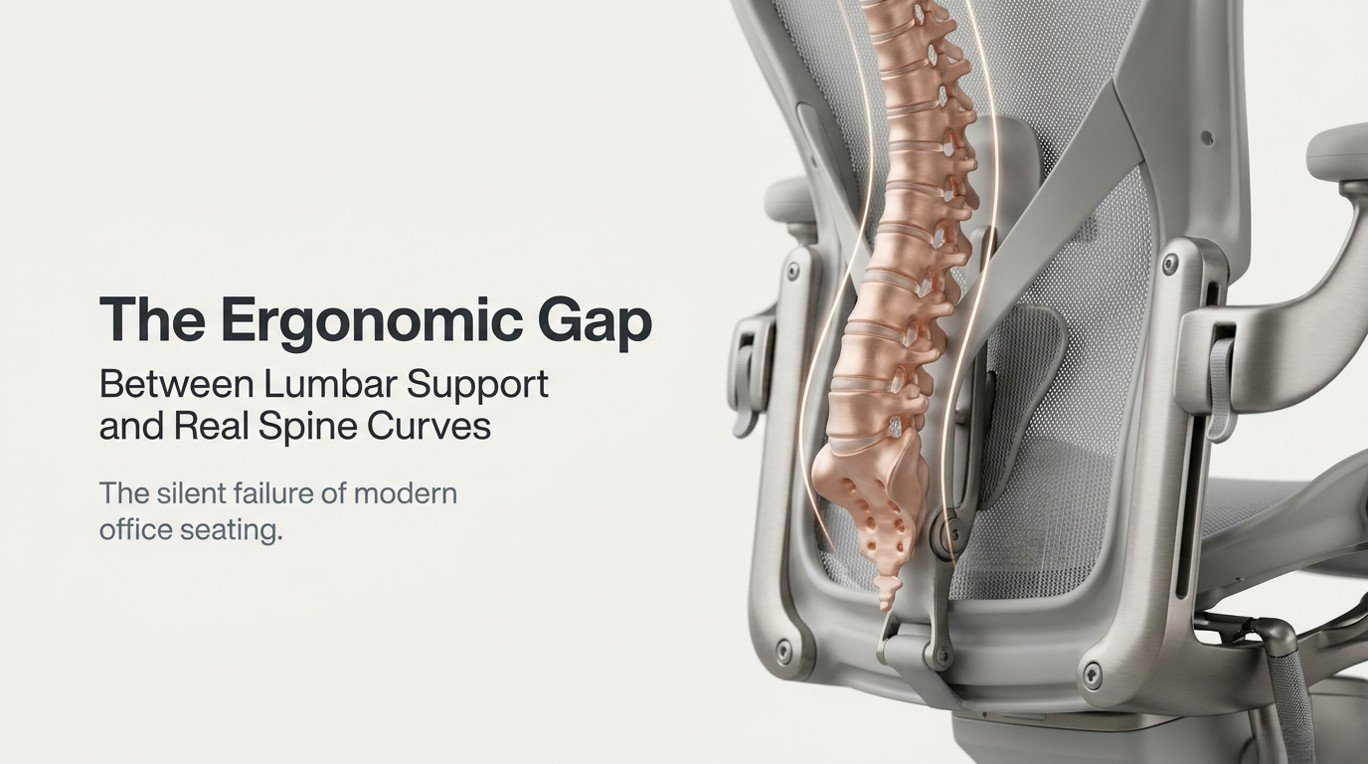
Every office chair sold today carries the same silent promise: “We support your back.” It’s printed on packaging, embedded in marketing copy, and repeated confidently by furniture sales representatives across Dubai, Abu Dhabi, and every major business hub in the UAE. Yet, despite decades of ergonomic research, billions of dollars invested in workplace health, and entire product categories dedicated to lumbar cushions, seat wedges, and back-adjustment mechanisms, chronic lower back pain remains the single most prevalent occupational complaint among desk workers globally.
According to the Global Burden of Disease Study, lower back pain accounts for more years lived with disability than any other condition — and the office chair, ironically marketed as its antidote, is in many cases a primary contributing factor. The reason is not poor materials or inadequate engineering. The reason is a fundamental disconnect: the curve that standard lumbar supports are designed to fit is not the curve that most human spines actually possess.
This is the ergonomic gap. It is not a minor calibration issue or a luxury problem confined to aging workers. It is a structural, bio-mechanical, and design-philosophy failure that quietly undermines spinal health in workplaces every day — from Dubai’s gleaming corporate towers to co-working spaces across the UAE. Understanding this gap is the first step to resolving it.
Core Premise
Standard lumbar support is designed around an idealized, average spinal curve. Most human spines deviate meaningfully from this average. The result is a product that can simultaneously claim ergonomic compliance and actively contribute to musculoskeletal dysfunction.
1. Understanding the Human Spine: A Bio mechanical Primer
Before evaluating any seating system, decision-makers, ergonomists, and employees must first understand what they are trying to support. The human spine is not a straight column. In its healthy, unloaded state, it exhibits four natural curves — cervical lordosis, thoracic kyphosis, lumbar lordosis, and sacral kyphosis — that collectively form a double-S profile when viewed laterally.
1.1 The Lumbar Lordotic Curve: Your Chair’s Primary Target
The lumbar region — comprising the five vertebrae between the ribcage and the pelvis (L1 through L5) — is the focal point of all seated support design. In a neutral standing posture, the lumbar spine exhibits an inward curve called lordosis. When a person sits, particularly without support, the pelvis tends to posteriorly rotate (tilts backward), which flattens or reverses this lordotic curve — a position that dramatically increases compressive and shear forces on the intervertebral discs.
The angle of lumbar lordosis varies substantially between individuals. Research published in the European Spine Journal demonstrates that natural lumbar lordosis angles range from approximately 20° to 68° among healthy adults — a variation of nearly 48 degrees. Standard lumbar support design, however, targets a single fixed curvature, typically around 40–45°, representing a mathematical midpoint that corresponds to the anatomical reality of fewer than 35% of working adults.
1.2 Spinal Load Distribution During Sitting
The intervertebral disc at L4–L5 is the most commonly degenerated disc in the human body, and for good reason: it bears the highest compressive load in the seated position. Pioneering research by Alf Nachemson, a Swedish orthopaedic surgeon, first quantified intradiscal pressure across postures. His findings, later refined by Wilke et al. using modern intradiscal pressure sensors, showed that unsupported sitting increases L4–L5 disc pressure by approximately 40% compared to relaxed standing.
More critically, misaligned lumbar support — support placed too high, too low, or with an incorrect curvature depth — does not return the spine to neutral. It can instead create a focal pressure point that causes localized disc compression at a single segment, effectively trading diffuse discomfort for targeted structural damage over time.
Biomechanics Insight
A lumbar support that contacts the spine at L3 when the user’s critical load-bearing segment is L4–L5 does not reduce disc pressure — it displaces it. This is why many workers report that their ergonomic chair “helps for a while but then starts to hurt differently.”
1.3 The Role of the Pelvis: The Ignored Foundation
Spinal posture in sitting is dictated by pelvic position far more than by any feature of a chair back. When the pelvis is in a neutral anterior tilt, the lumbar spine naturally assumes its lordotic curve. When the pelvis tilts posteriorly — as it does when the seat pan angle is incorrect, when the chair is too high, or when hamstring tightness restricts hip rotation — the lumbar spine flattens regardless of what the lumbar support is doing.
This means that a lumbar support operating in isolation — without simultaneous attention to seat pan depth, seat-to-floor height, and seat angle — is working against the very body it claims to support. Effective spinal alignment begins at the pelvis, not at the lower back.

2. The Anatomy of Lumbar Support in Modern Office Chairs
Walk into any showroom of office furniture in Dubai and you will encounter a range of lumbar support mechanisms that, despite their visual diversity, share common underlying design assumptions. Understanding what these mechanisms do — and what they cannot do — is essential for making informed procurement decisions.
2.1 Fixed Lumbar Pads
Fixed lumbar pads are the most common and least expensive form of back support. Typically a foam or rigid protrusion built into the chair back at a predetermined height, these pads provide a single, unchanging pressure point against the lower back. Their design assumes that: (a) all users have the same lumbar curve depth, (b) all users sit at the same height relative to the chair back, and (c) the ideal support position never changes throughout the working day. All three assumptions are biomechanically false.
2.2 Height-Adjustable Lumbar Systems
A significant upgrade over fixed pads, height-adjustable lumbar supports allow users to raise or lower the point of contact along the spine. This addresses one dimension of the ergonomic gap — vertical position — but leaves curvature depth, lateral support, and dynamic adaptation entirely unaddressed. For a tall worker with a high lumbar curve, or a petite worker whose lumbar apex sits unusually low, this is a meaningful improvement. For the majority of office workers who also need different curve depths than the standard design provides, it remains insufficient.
2.3 Adjustable Depth (Firmness) Mechanisms
Higher-specification chairs add depth or pressure adjustment to their lumbar systems, allowing users to increase or decrease the protrusion of the lumbar support into the lower back. This addresses the curvature depth dimension and represents a genuine ergonomic improvement. However, most depth-adjustable systems still operate on a single fixed curvature profile — they move the same shaped curve closer to or further from the body, rather than changing its geometry to match the user’s actual spinal curvature.
2.4 Dynamic and Adaptive Lumbar Systems
The most advanced category of lumbar support — found in premium ergonomic office chairs from manufacturers such as Officemaster is specialist brands available through office furniture Dubai suppliers — uses dynamic mechanisms that respond to the user’s movement in real time. These systems may include flexible mesh panels, multi-axis pivot points, or pneumatic chambers that adjust pressure distribution as the user shifts, reclines, or rotates. While significantly more effective than static systems, even these advanced solutions are limited by the fact that they typically respond to movement rather than proactively matching an individual’s unique spinal geometry from the moment of first contact.
3. Comparison: Ideal Spine Curvature vs. Standard Lumbar Support Designs
The following table presents a data-driven comparison between the biomechanical requirements of the human lumbar spine and what standard chair designs actually deliver. Data points are derived from peer-reviewed ergonomics research, anthropometric studies, and clinical spinal assessments.
| Parameter | Ideal Spinal Requirement | Standard Fixed Lumbar | Height-Adjustable Lumbar | Dynamic / Adaptive Systems |
|---|---|---|---|---|
| Lumbar lordosis angle range accommodated | 20°–68° (individual variation) | 38°–42° (fixed) | 38°–42° at varied height | 30°–55° (partial range) |
| Vertical position customization | Must match individual lumbar apex (varies ±8 cm) | None – fixed at ~25 cm above seat | Adjustable ±5–7 cm | Auto-adjusting or wide range |
| Curvature depth (protrusion) | 2–5 cm optimal for most adults | 2.5 cm (fixed) | 1.5–3.5 cm adjustable | 1–5 cm responsive |
| Pelvic tilt accommodation | Anterior tilt prerequisite for lordosis | Not addressed | Not addressed | Partially addressed (seat pan coupling) |
| Dynamic response during movement | Continuous real-time adjustment needed | None | None | Yes – responds to recline/shift |
| Lateral spinal variation support | Scoliosis / asymmetric curves need bilateral adjust. | None | None | Minimal |
| Pressure distribution area (contact zone) | Broader zone preferred (~15×20 cm) | ~8×10 cm focal point | ~8×10 cm focal point | 15–25 cm distributed zone |
| Population spine curvature match rate | 100% target | ~30–35% effective match | ~45–50% effective match | ~65–75% effective match |
| Clinical lower back pain risk reduction | Target: significant reduction | Modest / neutral effect | Moderate improvement | Strong improvement (peer-reviewed) |
| Average market price range (UAE/Dubai) | Value-justified by health ROI | AED 350–1,200 | AED 1,200–3,500 | AED 3,500–18,000+ |
Sources: Wilke et al. (1999), European Spine Journal; Adams et al. (2006), The Biomechanics of Back Pain; Dunk & Callaghan (2005), Spine; OSHA Ergonomics Program Guidelines; OfficeMaster.ae market pricing survey, 2024.
4. Where Standard Lumbar Designs Fall Short: The Five Core Failures
4.1 The Population Averaging Problem
Chair manufacturers design their lumbar support systems using anthropometric data drawn from population averages. The challenge is that average human spinal curvature, while mathematically definable, is not a reliable individual predictor. A chair engineered for the 50th percentile lumbar lordosis may actively harm a user at the 20th or 80th percentile — and in a diverse, international workforce like those found in UAE corporate environments, where employees come from over 200 nationalities with distinct anthropometric profiles, the spread of spinal variation is extraordinarily wide.
4.2 The Static Design Fallacy
Human sitting is not a static event. Contrary to what most chair backs assume, people naturally shift posture every 8–10 minutes during focused work, and far more frequently during collaborative or creative tasks. Each postural shift changes the relationship between the spine and the lumbar support. A support that was perfectly positioned when the user sat down may be pressing against the wrong vertebral segment twenty minutes later when they have naturally migrated forward in the seat or rotated slightly to view a secondary monitor.
This is the static design fallacy: the belief that achieving correct posture at a single moment in time constitutes adequate ergonomic support for an entire working day. It does not. Spinal support must be dynamic to be truly effective.
4.3 The Height Placement Confusion
The lumbar apex — the point of maximum inward curvature of the lumbar spine — is not at a fixed anatomical location relative to seat height across the population. In shorter individuals, it may be as low as 18–20 cm above the seat surface. In taller individuals, particularly those with long torsos, it can be 30 cm or higher. Most standard chairs position their lumbar support at a fixed height of approximately 22–26 cm above the seat, which, by the raw mathematics of anthropometric distribution, falls in the wrong position for a significant portion of users.
Furthermore, the lumbar apex height changes when the user reclines, crosses their legs, or shifts to the edge of the seat — movements that are inevitable over the course of an eight-hour working day. A fixed lumbar support position becomes incorrect multiple times per hour.
4.4 The Curvature Depth Mismatch
Beyond vertical position, lumbar support must match the depth of the user’s spinal curve. A person with a pronounced lumbar lordosis requires deeper support than someone with a flatter lumbar curve. Over-supporting a flat lumbar spine pushes it into an exaggerated lordosis that compresses posterior disc structures and facet joints. Under-supporting a pronounced lordosis leaves the discs without adequate offloading, maintaining elevated intradiscal pressure for hours.
Most standard chairs provide a single depth setting — or at best a limited range — that cannot span the full clinical variation in lumbar curvature depth observed in the general working population.
4.5 Ignoring the Thoracolumbar Junction
Ergonomic seating design has focused almost exclusively on the lower lumbar region (L4–L5, L5–S1), while largely ignoring the thoracolumbar junction at T12–L1 and L1–L2. This transition zone between the rigid thoracic spine and the mobile lumbar spine is a significant point of mechanical stress during sitting, particularly when the thoracic spine is inadequately supported and forces the lumbar spine to compensate. Chairs that provide lumbar-only support without corresponding mid-back support effectively create a lever arm that increases stress on the very segments they claim to protect.
5. Static vs. Dynamic Lumbar Support Systems: A Clinical Comparison
| Evaluation Criterion | Static Lumbar Support | Dynamic Lumbar Support |
|---|---|---|
| Posture correction effectiveness | Effective for ≤30 min sustained sitting | Effective across full workday duration |
| Intradiscal pressure management (L4–L5) | Reduces by ~10–15% (optimal position only) | Reduces by ~25–35% (across posture range) |
| Muscle fatigue (erector spinae) | Increases after 45–60 minutes | Maintained lower EMG activity throughout |
| User behavior – posture breaking | Users actively reposition every 15–20 min | Reduced need to reposition voluntarily |
| Suitability for multi-hour deep work | Moderate – requires breaks to reset | High – supports sustained focus sessions |
| Risk of focal disc compression | Moderate to high (fixed pressure point) | Low (distributed, responsive pressure) |
| Adaptability across tasks (typing, calls, reading) | Poor – single optimized posture | Good – supports varied task postures |
| Long-term musculoskeletal outcome data | Mixed results in occupational health literature | Significantly positive (Hedge, 2017; BSR, 2019) |
| Appropriate user profile | Occasional / light office use | Full-time / intensive desk workers |
| Maintenance requirements | Minimal | Periodic mechanism inspection recommended |
6. The Science of Dynamic Sitting and Why Movement Is Medicine
The most significant shift in contemporary ergonomics thinking over the past decade has been the transition from the concept of “correct posture” to the concept of “dynamic sitting.” The former implies a single, achievable ideal position that must be maintained. The latter recognizes that the human musculoskeletal system is designed for movement, and that immobility — regardless of the initial posture quality — is itself a primary risk factor for spinal degeneration.
6.1 What Dynamic Sitting Actually Means
Dynamic sitting refers to a seated behavior pattern characterized by frequent, micropostural adjustments — subtle weight shifts, recline angle variations, and lumbar position changes — that prevent prolonged loading of any single spinal segment. Research from the Cornell Human Factors Laboratory found that workers who naturally engaged in these micro-movements reported 28% lower incidences of lower back discomfort than those who maintained more static postures, even when both groups were using identically rated ergonomic chairs.
The implication is profound: chair design should not aim to lock the user into a “correct” position but should instead facilitate and encourage natural movement while maintaining protective spinal alignment throughout the movement range.
6.2 The Role of Chair Back Flexibility
Chairs designed to support dynamic sitting typically feature flexible back structures — whether through mesh elasticity, multi-link recline mechanisms, or pneumatically balanced systems — that move with the user rather than against them. When a lumbar support flexes in response to spinal movement rather than imposing a fixed resistance, it functions more like a responsive partner than a rigid brace. Clinical studies have demonstrated that this distinction has measurable impact on erector spinae muscle activity, with flexible back designs showing lower electromyographic (EMG) readings — indicating less muscular effort required to maintain an upright position — over the course of a full working day.
6.3 Sitting Posture Myths Debunked
Several widely circulated sitting posture myths continue to influence both product design and workplace health advice, often to the detriment of users:
- MYTH: Sitting upright straight reduces back pain. FACT: An excessively upright or rigid posture increases erector spinae muscle activity and accelerates fatigue. A slight, comfortable recline of 100–110° is biomechanically superior for sustained sitting.
- MYTH: A firmer lumbar support is always better. FACT: Excessive lumbar pressure causes localized discomfort and can compress facet joints. Optimal lumbar support pressure is the minimum required to maintain lordosis, not the maximum tolerable pressure.
- MYTH: If the chair is expensive, it must fit correctly. FACT: Premium chairs provide superior adjustability, not automatic correct fit. Without proper setup by a qualified ergonomist or through informed self-assessment, even the highest-specification ergonomic chair can be configured sub-optimally.
7. Workplace Ergonomics in the UAE: A Unique Context
The conversation around ergonomic seating Dubai occupies a distinctive position globally. The UAE’s workforce is among the most ethnically diverse on earth, with a working population spanning South Asian, Southeast Asian, Arab, European, African, and North American demographics — each bringing distinct anthropometric profiles, postural habits, and musculoskeletal risk patterns to the office environment.
7.1 Anthropometric Diversity and Its Ergonomic Implications
The average male torso height in the UAE’s expatriate-dominated workforce ranges from approximately 46 cm (common among South Asian demographics) to 54 cm (common among North European demographics) — a difference of more than 8 cm. This single measurement has profound implications for lumbar support positioning, seat pan depth, armrest height, and monitor distance. A single-size ergonomic chair solution that may serve a homogeneous workforce adequately becomes structurally inappropriate for large segments of a diverse UAE workforce.
Organizations operating across Dubai, Abu Dhabi, Sharjah, and the wider UAE that invest in premium office furniture without simultaneously investing in personalized ergonomic assessment are, in effect, buying ergonomic potential rather than ergonomic outcomes.
7.2 Climate and Office Environment Factors
The UAE climate has direct ergonomic implications that are rarely discussed in global ergonomics literature. The extreme heat of Dubai summers (ambient temperatures exceeding 45°C outdoors) means that offices are typically heavily air-conditioned, often to temperatures of 19–21°C. This thermal environment affects musculoskeletal tissue compliance: cold muscles and connective tissues are less flexible, less tolerant of sustained postural loading, and recover more slowly from micro-trauma. Workers in heavily cooled offices may require more frequent movement breaks and more adaptive lumbar support than equivalent workers in thermally moderate environments.
Additionally, the widespread use of glass-and-steel tower architecture in Dubai creates significant monitor glare management challenges, which drive workers to adopt forward-head postures and spinal flexion patterns as they attempt to reduce glare by leaning in — entirely negating whatever lumbar support their chair provides.
7.3 The Economic Case for Better Ergonomics in UAE Businesses
Back pain office solutions are not a luxury — they are a quantifiable business investment. Research published in the Journal of Occupational and Environmental Medicine estimates that musculoskeletal disorders, including lower back pain, account for between 33–40% of all workplace productivity loss in office environments. For a UAE company with 100 desk workers earning an average of AED 15,000 per month, even a conservative 10% productivity loss attributable to musculoskeletal discomfort represents an annual economic exposure of AED 1.8 million — against which even a comprehensive fleet of premium ergonomic chairs represents a modest one-time investment with a rapid return.
Forward-thinking HR and facilities managers in the UAE are increasingly recognizing this calculus. The demand for workplace ergonomics UAE consultation services has grown markedly since 2021, driven by the post-pandemic normalization of hybrid work and the consequent awareness of home office inadequacy that brought spinal health into sharp organizational focus.
8. How to Evaluate Your Current Chair’s Lumbar Support
Before investing in new office furniture, it is worth systematically assessing the performance of existing seating. The following evaluation framework can be applied by any desk worker or facilities manager to identify specific ergonomic deficiencies in their current setup.
8.1 The Five-Point Lumbar Assessment Protocol
Perform this assessment after 45–60 minutes of normal computer work, when early postural fatigue typically begins to emerge:
- CONTACT CHECK: Place your hand behind your lower back while seated in your normal position. Is there contact between your back and the lumbar support? If you can slide your hand through without resistance, the lumbar support is not engaged.
- POSITION CHECK: The point of firmest contact should be at or just above the belt line — approximately the L3–L4 level. If the pressure is felt primarily in the mid-back or at the waistband level, the support is incorrectly positioned.
- PRESSURE CHECK: The lumbar support should provide gentle, consistent pressure — noticeable but not uncomfortable. Discomfort within 30 minutes of contact indicates either excessive pressure depth or incorrect height placement.
- PELVIC CHECK: Are you sitting on your sit bones (ischial tuberosities) or have you begun to slouch onto your sacrum/coccyx? The former indicates proper pelvic positioning; the latter indicates that the seat height, pan depth, or chair tilt is working against the lumbar support’s effectiveness.
- FATIGUE CHECK: After a full working day, where do you feel discomfort first — lower back, mid-back, neck/shoulders? Lower back fatigue suggests inadequate or misaligned lumbar support. Neck/shoulder fatigue may indicate that a compensating postural pattern has developed as a result of lower back issues.

9. Practical Recommendations for Spine-Aligned Ergonomic Seating
Translating biomechanical knowledge into actionable workplace decisions requires a layered approach that addresses both product selection and behavioral practice.
9.1 Chair Selection Criteria for Lumbar Health
When evaluating adjustable chair lumbar support systems, the following minimum specifications should be considered non-negotiable for any organization with full-time desk workers:
- Independent height adjustment of lumbar support (minimum ±5 cm range)
- Independently adjustable curvature depth (minimum 1.5 cm variation range)
- Seat pan depth adjustment to support correct pelvic positioning
- Seat height adjustment adequate for the organization anthropometric range
- Recline tension adjustment with a supported recline range of at least 95°–115°
- Mesh or flexible back surface preferred over rigid foam for dynamic response
- Armrest height and width adjustment (to prevent shoulder compensatory patterns)
9.2 Ergonomic Workstation Setup Beyond the Chair
Even the most sophisticated ergonomic seating cannot compensate for a poorly configured workstation. Lumbar support effectiveness is entirely dependent on the following concurrent conditions being met:
- Monitor positioned so the top third of the screen is at or just below eye level (prevents forward head posture that loads the lumbar spine through thoracic compensation)
- Keyboard positioned to allow elbows at approximately 90–100°, forearms parallel to the floor or slightly downward-angled
- Mouse maintained at the same level as the keyboard, within easy reach without shoulder abduction
- Desk height matched to seated elbow height (standing desk transitions to seated work should re-establish this relationship each time)
- Adequate lighting to prevent glare-induced postural compensations
9.3 Movement Integration for Dynamic Spinal Health
Dynamic sitting cannot be fully achieved through chair design alone. A structured movement integration protocol should accompany any ergonomic seating investment:
- Micro-movement every 20–30 minutes: conscious weight shifting, seated spinal rotation, or brief standing
- Postural reset every 60–90 minutes: stand, walk for 2–3 minutes, and actively extend the lumbar spine to counteract flexion-dominant sitting
- Hip flexor lengthening daily: targeted stretching of the iliopsoas and rectus femoris, which shorten with prolonged sitting and contribute to anterior pelvic tilt loss, directly affecting lumbar curve maintenance
- Core activation awareness: mild transversus abdominis engagement during seated work reduces lumbar shear forces and supports the natural lordosis from within, complementing external lumbar support

10. Ergonomic Chair Selection Guide by User Profile
| User Profile | Hours/Day | Key Lumbar Requirement | Recommended Support Type | Budget Range (AED) |
|---|---|---|---|---|
| Light office user / occasional desk work | 2–4 hrs | Basic lordosis maintenance | Fixed or simple height-adjustable | 800–2,500 |
| Standard office worker / mixed tasks | 4–6 hrs | Adjustable height + depth | Height + depth adjustable lumbar | 2,500–5,500 |
| Intensive desk worker / programmer / analyst | 6–9 hrs | Dynamic, full-range adaptive | Dynamic mesh with multi-axis lumbar | 5,500–12,000 |
| Executive / senior decision-maker | 5–8 hrs | Premium fit + aesthetics | Adaptive + aesthetic premium grade | 8,000–20,000 |
| Worker with existing back condition | Any | Clinical-grade personalized support | Therapist-assessed; custom configuration | 6,000–18,000+ |
| Hot-desk / shared workstation user | Varies | Maximum adjustability for fast reconfiguration | Wide-range adjustable all parameters | 3,500–9,000 |
11. Advanced Ergonomic Concepts Shaping the Future of Lumbar Support
11.1 Sensor-Integrated Adaptive Seating
The frontier of ergonomic seating design is moving toward sensor-integrated chairs that use pressure mapping, accelerometry, and machine learning to continuously monitor spinal alignment and automatically adjust lumbar support parameters in real time. Early commercial implementations — such as the Duramont Smart Chair and research prototypes from institutions including MIT’s Media Lab — have demonstrated the technical feasibility of this approach. The practical question for workplace ergonomics UAE is when these technologies will reach price points accessible to mainstream corporate procurement, which current market trajectories suggest may occur within 5–7 years.
11.2 Posture Coaching Integration
Several premium seating solutions are now integrating posture coaching capabilities through companion applications or wearable devices. These systems alert users when postural deviation exceeds calibrated thresholds, nudge movement breaks, and accumulate longitudinal data on sitting behavior that can be used to refine ergonomic recommendations over time. For organizations managing large workforces, this data layer provides evidence-based input for wellbeing programmes, return-to-work planning, and ergonomic investment justification.
11.3 Personalized Lumbar Mapping Technology
The most cutting-edge development in spinal ergonomics is the move toward chair customization informed by individual lumbar mapping. Using low-cost, consumer-grade pressure-sensitive mats or even smartphone-based posture assessment applications, it is now possible to generate a reasonable approximation of an individual’s lumbar curvature profile and use this data to configure a chair’s lumbar support with significantly greater precision than any generalized fitting protocol.
While this technology remains nascent in its consumer-facing form, several premium office furniture suppliers, including specialists serving the Dubai corporate market, are beginning to offer ergonomic assessment services as part of furniture procurement packages — moving the industry from product selling to outcome delivery.

Frequently Asked Questions: Lumbar Support, Spine Health & Ergonomic Seating
What is the ergonomic gap between lumbar support and real spine curves?
The ergonomic gap refers to the difference between how standard lumbar support systems are designed — based on an averaged, idealized spine curvature — and the actual, individually varying spinal curves of real office workers. Most lumbar supports target a fixed lordosis angle of around 40°, but human lumbar curves range from 20° to 68°. This mismatch means that a large percentage of workers receive support that is either insufficient or actively misaligned with their personal spinal geometry.
An expensive chair provides superior adjustability, not guaranteed correct fit. If your lumbar support is not set to the correct height, depth, and firmness for your unique spinal curvature — and if your seat pan, height, and tilt are not also correctly configured — even a premium chair will fail to provide therapeutic benefit. Consider a professional ergonomic assessment, which many quality office furniture suppliers in Dubai now offer as part of their procurement service.
Where should lumbar support sit on your back?
The lumbar support should contact your spine at or just above the belt line — approximately at the L3–L4 vertebral level. You should feel gentle, comfortable pressure in the concave inward curve of your lower back, not in the mid-back or at the waistline. The support should fill the gap between your lower back and the chair, not push your back forward.
Is dynamic lumbar support better than fixed lumbar support?
For full-time office workers sitting more than 4 hours per day, dynamic lumbar support systems consistently outperform fixed supports in clinical studies. They maintain more consistent spinal alignment across the full range of postural shifts that occur during normal working behavior, reduce erector spinae muscle fatigue, and lower long-term musculoskeletal injury risk. For occasional or light desk users, the difference is less pronounced, and a well-adjusted fixed support may be adequate.
What lumbar support depth is ideal for most people?
Most adults benefit from a lumbar support depth (protrusion into the lower back) of between 2 and 4 centimeters. Individuals with pronounced lumbar lordosis may need closer to 4–5 cm; those with flatter lumbar curves need 1.5–2.5 cm. The test is simple: the support should feel present and supportive without creating discomfort or pushing the lower back forward uncomfortably.
Can a chair cause scoliosis or make existing scoliosis worse?
A poorly fitted chair cannot cause structural scoliosis, which has a complex genetic and developmental aetiology. However, sustained asymmetric sitting — driven by a chair that cannot accommodate lateral spinal variation — can exacerbate functional scoliosis, increase the rate of pain associated with structural scoliosis, and contribute to the development of compensatory postural habits that further stress an already asymmetric spine. Workers with known scoliosis should seek chairs with bilateral, independently adjustable lumbar support.
How do I know if my lumbar support is too high?
If your lumbar support is too high, you will feel pressure in the mid-back (thoracic region) rather than the lower back, your shoulders may round forward as the mid-back is pushed away from the backrest, and you may experience upper back or shoulder tension rather than lower back support. Lower the lumbar support adjustment until the contact point drops to the belt-line area.
There is no single best chair for all back pain — the right chair depends on the type, location, and cause of back pain, as well as individual anthropometric measurements. That said, chairs with independently adjustable lumbar height and depth, flexible mesh backs, proper seat pan depth adjustment, and armrest configurability provide the greatest range of adaptability. Leading ergonomic brands widely available through office furniture Dubai suppliers include officemaster, alongside premium regional options.
How often should office chairs be replaced for optimal back support?
Ergonomic chairs typically maintain their structural and support properties for 8–12 years under normal office use. However, foam lumbar pads can compress and lose effectiveness after 3–5 years. Mesh backing on high-quality chairs generally retains its tension longer. Annual inspection of lumbar mechanism adjustability and foam integrity is recommended. If a chair no longer holds adjustments or shows visible foam compression, replacement or refurbishment should be considered.
Does sitting posture really affect productivity?
Yes, substantially. Research published in the Journal of Ergonomics found a direct correlation between musculoskeletal discomfort and cognitive performance: even mild, chronic lower back pain reduces concentration, working memory, and decision-making speed. Organizations that invest in back pain office solutions report measurable improvements in both self-reported wellbeing and objective productivity metrics, with typical ROI timelines of 12–24 months for comprehensive ergonomic programmes.
What are the best exercises to complement lumbar support in an office?
The most clinically effective exercises for office workers to complement lumbar support include: bird-dog (core stabilization), hip flexor stretches (iliopsoas lengthening), seated spinal rotations (mobility), glute bridges (posterior chain activation), and thoracic extension over a foam roller (counteracting thoracic kyphosis from prolonged sitting). A physiotherapist or certified ergonomist can prescribe a tailored programme based on individual spinal assessment.
Are lumbar support cushions effective for office chairs?
Lumbar support cushions can be highly effective as low-cost adjuncts when an office chair lacks adequate built-in lumbar support. The key is selecting a cushion of appropriate depth and placing it at the correct vertical height — the same principles that apply to built-in lumbar systems. Memory foam cushions that conform to the individual’s curve offer an advantage over rigid foam options. However, they cannot replicate the dynamic response of a quality adjustable chair lumbar support system.
What is sitting posture myth 90-90-90 and why is it wrong?
The 90-90-90 posture — hips, knees, and ankles all at right angles — became a widespread ergonomic standard in the 1970s and 80s but has since been challenged by extensive biomechanical research. Studies by Dunk & Callaghan and others have shown that a slightly open hip angle of 100–110° reduces compressive loading on the posterior lumbar discs, allows more natural anterior pelvic tilt, and is associated with lower muscle activity in the erector spinae. The myth persists because it is simple to remember and teach, not because it is biomechanically optimal.
How does workplace ergonomics in the UAE differ from global standards?
UAE workplaces face unique ergonomic challenges: extreme anthropometric diversity in the workforce, climate-driven thermal environments affecting musculoskeletal tissue compliance, architectural design elements that create glare and postural compensation patterns, and a high proportion of knowledge workers in internationally competitive industries where cognitive performance directly correlates with physical wellbeing. UAE ergonomic strategy should therefore go beyond adopting global standards and actively account for these contextual factors in both product selection and workplace design.
What should I look for in office furniture for spinal health in Dubai?
When selecting office furniture in Dubai for spinal health, prioritise chairs with a minimum of five independent adjustments (seat height, pan depth, lumbar height, lumbar depth, and recline tension), certifications from recognized ergonomics bodies (BIFMA, HFES, or European EN 1335 standard), supplier willingness to provide ergonomic assessment support, and warranty coverage of at least 5 years for structural components. The total cost of ownership — factoring in productivity gains and reduced absenteeism — should always be weighed against the initial purchase price.
Closing the Ergonomic Gap Starts with Understanding It
The gap between lumbar support as designed and lumbar support as experienced by real human spines is not a minor technical deficiency — it is a foundational design philosophy problem that has shaped decades of office seating in ways that fall short of their health promises. The human spine is variable, dynamic, and profoundly individual. Office seating, for most of its history, has been the opposite: standardized, static, and averaged.
For organizations in Dubai and across the UAE, the implications are both clinical and economic. A workforce seated in chairs that do not properly support their unique spinal geometry is a workforce in a state of continuous, low-grade physical stress — and that stress has measurable, compounding costs in productivity, presenteeism, absenteeism, and long-term workforce health.
Closing the ergonomic gap requires three parallel efforts: investing in chairs with genuine, multi-axis adjust-ability; providing users with the knowledge and professional guidance to configure their seating correctly; and cultivating a workplace culture that treats movement, postural breaks, and physical wellbeing as productivity investments rather than indulgences.
The best office furniture is not the most expensive or the most aesthetically impressive — it is the furniture that most faithfully serves the biological reality of the bodies that use it every day. At OfficeMaster.ae, this principle guides every product selection, every ergonomic consultation, and every workspace solution we deliver across the UAE.
Contact OfficeMaster.ae for a comprehensive ergonomic workspace consultation. Our specialists assess your team’s anthropometric profiles, existing seating infrastructure, and workstation configuration to deliver a personalized recommendation that bridges the gap between standard lumbar support and real spinal health — for every person in your organization.