Somewhere between your keyboard and your screen, your arms are making a decision that shapes your entire spinal alignment, shoulder health, and wrist mechanics — often without you ever noticing. Whether you let your elbows float unsupported in mid-air or rest them on chair armrests, the bio-mechanical consequences ripple upward through the rotator cuff, across the cervical spine, and down through the carpal tunnel with every keystroke.
For the millions of professionals working in Dubai’s high-rises, Abu Dhabi corporate campuses, and the UAE growing remote-work ecosystem, this is not an abstract academic debate. It is a daily physical reality with measurable effects on productivity, fatigue, chronic pain incidence, and long-term musculoskeletal health. Yet most office furniture buying decisions — from ergonomic office chair UAE procurement to entire open-plan fit-outs — are made with virtually zero understanding of arm support mechanics.
This definitive guide bridges that gap. Drawing on biomechanics research, occupational therapy principles, ISO ergonomic standards, and the specific environmental realities of UAE workplace culture, we deliver the most authoritative, practically actionable analysis of elbow floating versus armrest support available anywhere.
“The position of your arms at a desk is not a comfort preference. It is a structural engineering problem — and every hour of poor positioning accumulates into future clinical outcomes.” — Occupational Biomechanics Principle
1. Understanding the Bio-mechanical Stakes: What Happens When Arms Are Unsupported
1.1 The Gravitational Load on Unsupported Arms
The human arm weighs approximately 5–6% of total body weight. For an average adult weighing 75 kg, each arm contributes roughly 3.75–4.5 kg of mass. When both arms are extended forward onto a keyboard without any support beneath the elbows, the shoulder girdle — specifically the trapezius, levator scapulae, supraspinatus, and infraspinatus muscles — must contract isometrically to suspend that weight against gravity throughout the workday.
Isometric muscle contraction without rest is physiologically costly. Unlike dynamic contractions that allow blood to circulate through the muscle belly, sustained isometric holds compress intramuscular capillaries, reducing oxygen delivery and waste removal. Within 20–30 minutes of sustained unsupported arm holding, electromyographic (EMG) studies have consistently recorded elevated trapezius activation levels associated with the onset of muscle fatigue and micro-ischemia — the precursor state to chronic tension headaches, myofascial trigger points, and upper-crossed syndrome.

1.2 The Cervical Compensation Chain
When shoulder muscles fatigue, the body instinctively recruits secondary stabilizers — primarily the sternocleidomastoid and scalene muscles of the neck — to maintain arm position. This compensation shifts the center of cervical loading anteriorly, increasing pressure on cervical intervertebral discs at C4-C5 and C5-C6, the two most common sites of cervical spondylosis in office workers.
Simultaneously, the forward shoulder posture that develops from sustained trapezius loading causes internal rotation of the humeral head, narrowing the subacromial space. Over months and years, this mechanical impingement contributes to rotator cuff tendinopathy, a condition increasingly common among UAE professionals aged 30–50 who have spent a decade at inadequately configured workstations.
1.3 Wrist and Forearm Mechanics Under Load
With unsupported arms, typists naturally lower their wrists relative to their elbows to reach the keyboard, creating wrist extension. Even 15 degrees of sustained wrist extension elevates carpal tunnel pressure by approximately 20 mmHg above the resting baseline of 2–10 mmHg. At 40 degrees of extension, pressure approaches 30–40 mmHg — levels clinically associated with median nerve conduction changes and early carpal tunnel syndrome symptoms.
The forearm pronators — pronator teres and pronator quadratus — also sustain elevated activation when arms are unsupported, as the forearm must resist gravity-driven rotation. This adds a rotational fatigue component to the already significant loading picture.

2. The Science of Armrest Support: Mechanical Load Relief and Postural Correction
2.1 How Armrests Offload the Shoulder Girdle
A properly positioned armrest transforms the shoulder girdle’s mechanical equation. By providing a physical surface under the forearm or elbow, armrests assume a portion of the arm’s weight — effectively removing 3–5 kg from the isometric burden borne by the trapezius and rotator cuff. Research published in occupational ergonomics journals has documented trapezius EMG reductions of 10–20% when appropriately adjusted armrests are used during computer work.
This is not a trivial reduction. Decreasing sustained muscle load by 15% can extend the time to fatigue onset by a factor of 2–3, according to muscle physiology models based on the Rohmert fatigue curve. In practical terms, a professional whose shoulders begin aching after three hours without armrests may find they can work five or six hours with well-adjusted support — a transformative productivity and wellbeing difference.

2.2 Armrest Geometry and Optimal Contact Point
Not all armrest contact is bio-mechanically equivalent. The anatomically ideal contact point is the proximal one-third of the forearm — the region 3–5 cm distal to the olecranon process of the elbow. Contact here allows the elbow to flex to approximately 90–100 degrees, the angle at which the biceps brachii and brachialis are in a mechanically advantaged mid-range position with minimal passive ligament tension.
Resting weight directly on the sharp bony prominence of the olecranon (the elbow point itself) should be avoided. Prolonged hard contact at this location compresses the ulnar nerve as it passes through the cubital tunnel, which can produce ulnar neuropathy symptoms — tingling and numbness in the ring and little fingers — a lesser-known but clinically significant occupational hazard.
2.3 The Role of Armrest Width and Padding
Armrest width must accommodate shoulder anatomy. Armrests set too narrow force the shoulder into adduction and internal rotation; set too wide, they abduct the shoulder, elevating and laterally displacing the humeral head. ISO 9241-5 recommendations suggest armrest inner clearance of at least 46 cm for the 95th percentile adult, with individual adjustability as the preferred solution in diverse workforces like those found across UAE multinational offices.
Armrest padding density matters equally. Surfaces that are too hard (standard rigid plastic) create pressure concentration at bony contact points. Memory foam or gel-padded armrests distribute load across a wider tissue area, keeping interface pressure below the 32 mmHg threshold identified as the capillary closure pressure — the point above which superficial tissue ischemia begins.

3. Head-to-Head Analysis: Elbow Floating vs Armrest Support
The table below synthesizes bio-mechanical research, ergonomics standards, and clinical occupational health literature into a direct, evidence-based comparison:
| Parameter | Elbow Floating (No Support) | Armrest Support (Properly Adjusted) |
|---|---|---|
| Trapezius Muscle Load | High — sustained isometric contraction | Reduced by 10–20% (EMG-documented) |
| Supraspinatus Load | Elevated — continuous anti-gravity effort | Significantly reduced |
| Carpal Tunnel Pressure | Elevated by wrist extension compensation | Neutral wrist position maintained |
| Cervical Disc Pressure (C5–C6) | Increased — forward head compensation | Reduced via upright shoulder position |
| Time to Shoulder Fatigue | ~60–90 min continuous work | ~150–210 min continuous work |
| Typing Speed Impact | Declines ~12–18% after 2 hrs (fatigue) | Minimal decline over 4–6 hrs |
| Risk of Rotator Cuff Tendinopathy | Moderate–High (chronic cases) | Low (with correct adjustment) |
| Risk of Carpal Tunnel Syndrome | Elevated | Low–Moderate |
| Posture Score (RULA) | Typically 5–7 (investigation required) | Typically 2–4 (acceptable–low risk) |
| Short-Term Comfort | Acceptable (first 30–60 min) | Good throughout work session |
| Long-Term Musculoskeletal Risk | High | Low (with ergonomic setup) |
| Suitable For Tasks | Brief tasks (<20 min), mobility-heavy work | Sustained computer work (2+ hrs) |

4. Muscle Engagement & Strain Analysis: A Layered Bio mechanical View
To fully appreciate the stakes, it helps to understand which specific muscles are placed under pathological stress by each positioning strategy, and how that stress translates into acute and chronic clinical outcomes.
| Muscle / Structure | Floating Elbows — Activation Level | Armrest Support — Activation Level | Clinical Risk (Floating) |
|---|---|---|---|
| Upper Trapezius | Very High (sustained static) | Moderate–Low | Myofascial pain, tension headache |
| Levator Scapulae | High | Low | Neck stiffness, cervicogenic headache |
| Supraspinatus | Moderate–High | Low | Impingement syndrome, tendinopathy |
| Infraspinatus | Moderate | Low | Posterior shoulder pain |
| Pronator Teres | Moderate (anti-rotation) | Low | Forearm fatigue, pronator teres syndrome |
| Flexor Carpi Radialis | Moderate–High | Low–Moderate | Wrist tendinitis |
| Extensor Digitorum | High (wrist extension) | Low | Extensor tendinopathy |
| Biceps Brachii | High (elbow flexion hold) | Low | Bicipital tendinitis (chronic) |
| Ulnar Nerve (at cubital tunnel) | Moderate stretch at elbow | Moderate pressure if resting on hard surface | Cubital tunnel syndrome |
| Median Nerve (carpal tunnel) | Elevated pressure (wrist extension) | Low (neutral wrist) | Carpal tunnel syndrome |
5. The “When Floating Wins” Cases: Nuanced Ergonomics Over Dogma
5.1 Tasks Requiring Wide Arm Movement
Graphic designers using drawing tablets, architects working with physical plan spreads, and engineers operating large multi-monitor setups with frequent physical material handling represent legitimate use cases where armrest-based elbow positioning may be counterproductive. For tasks requiring large reaching arcs — extending beyond a 60-degree cone in front of the body — armrests can actually restrict natural movement and introduce shoulder strain from repeated contact with armrest edges.
The ergonomics principle here is that armrests should never constrain movement; they should support the neutral position during the stationary phases of work. Adjustable armrests with flip-away or drop-down capability resolve this tension for multi-task workstations.
5.2 Standing Desk Transitions
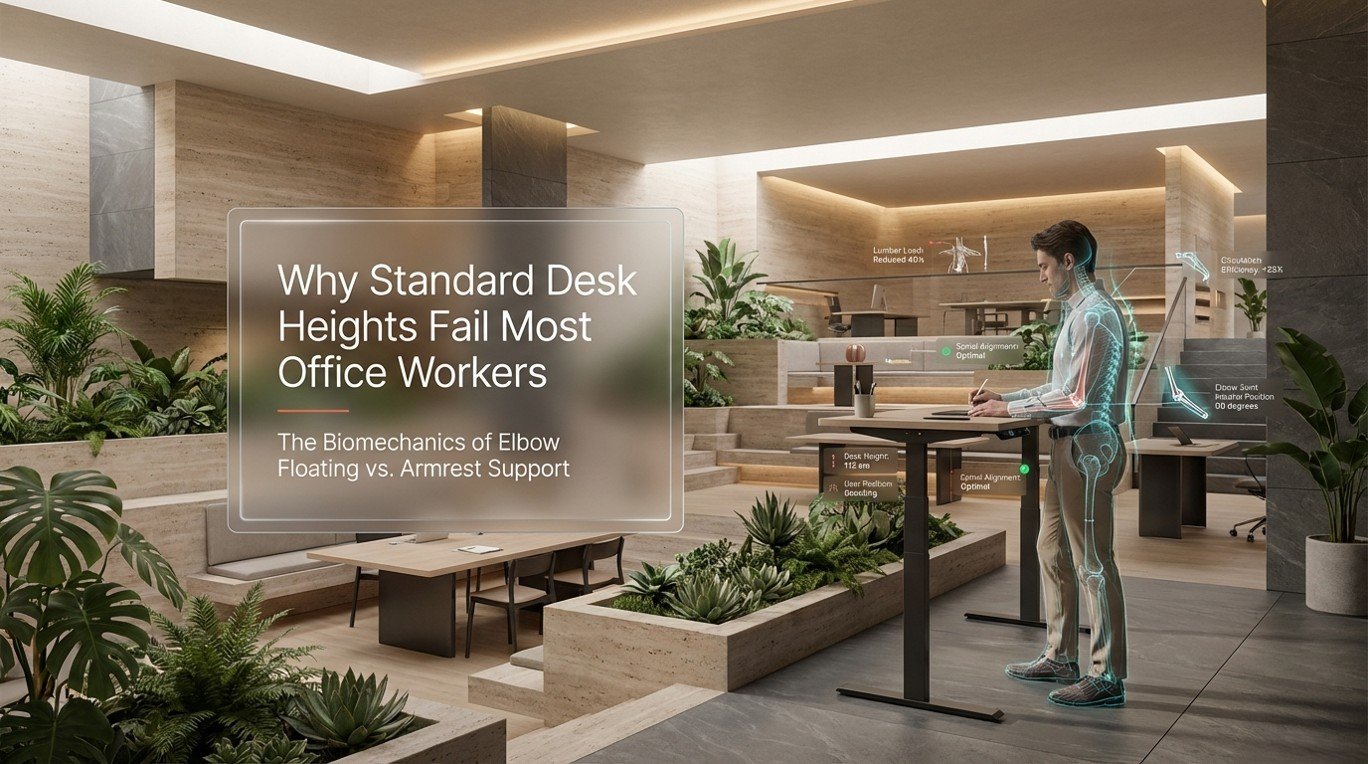
During the standing phase of height-adjustable desk use — now increasingly prevalent in Dubai modern office furniture setups — armrests are typically not available unless a stool with armrests is used. Short-duration standing work (20–30 minute bouts) does not typically produce the sustained isometric loading that makes elbow floating problematic at seated desks, because natural postural micro-movements and weight shifts prevent the static fatigue accumulation.
5.3 Brief, Mobility-Intensive Tasks
Administrative tasks involving frequent transitions — answering calls, reaching for documents, attending to multiple workstation zones — involve enough natural arm movement to prevent the static loading that makes continuous elbow floating harmful. For these workers, frequent task rotation is ergonomically protective even without armrest support.

6. Ideal Armrest Adjustment: The Complete Configuration Guide
Having the right ergonomic office chair UAE is only half the equation — correct adjustment is the other half. Even the most premium office chair with fully adjustable armrests produces no ergonomic benefit if set incorrectly.
| Adjustment Parameter | Ideal Setting | How to Verify | Common Error |
|---|---|---|---|
| Armrest Height | Elbow at 90–100° flexion, forearm parallel to floor | Shoulders should feel relaxed, not elevated or dropped | Too high: shoulder elevation; Too low: forearm sag |
| Armrest Width (lateral position) | Forearms rest with arms hanging naturally from shoulders | No shoulder abduction or adduction | Too wide: shoulder girdle strain; Too narrow: thoracic compression |
| Armrest Depth (fore-aft) | Forearm supported 3–5 cm from elbow tip | Keyboard reach should be comfortable without stretching | Too far forward: reaching strain; Too close: restricted movement |
| Armrest Surface Angle (pitch) | Slightly inward tilt (3–5°) for forearm pronation | Wrist should be straight during typing | Flat or outward tilt forces wrist ulnar deviation |
| Armrest Padding | Memory foam or gel; minimum 10 mm compression depth | No pressure concentration at bony elbow | Hard plastic creates ulnar nerve compression risk |
| Armrest Alignment to Desk | Armrest top should be at or 1–2 cm below desk surface level | Arm should glide from armrest to desk without shoulder shift | Armrest higher than desk creates shoulder lift during typing |
6.1 The Desk Height Interaction
Armrest settings cannot be optimized in isolation from desk height. In UAE offices where fixed-height desks remain common (typically 720–750 mm), professionals of above-average height — common among South Asian, European, and North American expat populations — frequently find that correct armrest height cannot be achieved because the desk surface is too low to allow both forearm support and keyboard comfort simultaneously.
The solution in fixed-desk environments is to raise chair seat height (using the pneumatic cylinder) to bring armrests to desk level, then compensate for the resulting foot-floor gap with a footrest. This approach, standard in occupational therapy practice, is achievable with quality office furniture Dubai procurement that includes footrests as a standard ergonomic accessory rather than an afterthought.

7. The UAE Workplace Context: Why This Matters More Here
7.1 Extended Work Hours and Climate-Controlled Indoor Culture
The Gulf’s extreme summer climate — with Dubai regularly exceeding 45°C from June through September — confines a disproportionate percentage of daily life, including professional and recreational screen time, to air-conditioned interiors. UAE workers consistently report among the longest daily screen exposure hours globally, with many professionals spending 10–14 hours per day at digital devices combining work and personal use.
This exposure duration amplifies every ergonomic shortcoming. A postural deficiency that might produce mild discomfort after 6 hours in a temperate-climate office produces measurable musculoskeletal symptoms after 10+ hours in a UAE indoor work context. The occupational health equation here is straightforward: longer hours mean higher stakes for ergonomic precision.
7.2 The Remote and Hybrid Work Explosion
The post-2020 normalization of hybrid work across UAE corporate culture has shifted a significant proportion of professional screen time to home environments where ergonomic office furniture is absent, improvised, or actively harmful. Kitchen tables, sofas, and bedroom desks with dining chairs represent the armrest-void, posture-hostile environments in which millions of UAE remote workers now spend significant portions of their professional lives.
For HR managers and corporate decision-makers, this represents both a welfare obligation and a productivity liability. The case for investing in proper ergonomic office chair UAE options for home offices — including chairs with adjustable armrests — is increasingly supported by productivity research showing that workers with ergonomically configured home workstations report 17–23% higher sustained focus scores than those working from improvised setups.
7.3 Cultural and Anthropometric Diversity
Dubai’s workforce represents perhaps the most anthropometrically diverse professional population in the world, with significant proportions from South Asia, Southeast Asia, the Arab region, Europe, North America, and Sub-Saharan Africa. Body dimensions — stature, sitting height, arm length, shoulder width — vary enormously across these populations.
A one-size armrest configuration that works for a 175 cm European male is bio-mechanically incorrect for a 155 cm Filipino female or a 190 cm Nigerian professional. This diversity mandates that all ergonomic office chair UAE procurement specifications include 4D armrests (height, width, depth, and pivot adjust-ability) as a non-negotiable feature, not a premium upgrade.

8. International Ergonomics Standards: The Regulatory Framework
Several international standards govern armrest design and positioning in professional office environments:
- ISO 9241-5 (Ergonomics of Human-System Interaction — Workstation Layout): Specifies armrest height, depth, width clearance, and surface requirements for computer workstations.
- EN 1335-1 (European Office Chair Standard): Defines mandatory and optional armrest features for office seating, including height adjustability ranges (minimum 60–250 mm adjustment travel).
- BIFMA X5.1 (North American Office Furniture Standard): Sets durability and safety parameters for armrest structural integrity under sustained load conditions.
- OSHA Ergonomics Program Guidelines (USA): Recommends that armrests support the forearm while allowing the upper arm to hang vertically — directly aligning with the biomechanics described in this article.
- UAE Federal Law No. 8 (Labour Law) & Ministerial Resolution 32/1982: While less prescriptive on ergonomics specifics than European frameworks, these regulations impose a general duty of care on UAE employers to maintain safe working conditions — a legal basis for ergonomic workstation investment.
For UAE organizations procuring office furniture Dubai solutions at scale, specifying compliance with EN 1335-1 and ISO 9241-5 in tender documentation provides both legal protection and a quality assurance filter that eliminates substandard products from consideration.
9. The Productivity Economics of Arm Support: Quantifying the Business Case
9.1 Typing Efficiency Under Fatigue
Controlled studies measuring typing performance across extended work sessions have documented consistent patterns: workers without armrest support show a 12–18% decline in words-per-minute output after 2 hours of continuous work, with error rates increasing by 20–30% over the same period. Workers with properly adjusted armrests maintain near-baseline performance for 4–6 hours.
For a 40-person department of knowledge workers, a 15% average productivity decline across afternoon work hours — attributable in part to postural fatigue from inadequate arm support — represents thousands of lost effective working hours annually. At UAE salary rates for skilled professionals, the economic value of that lost productivity dwarfs the cost of ergonomic office furniture procurement many times over.
9.2 Absenteeism and Presenteeism Costs
Musculoskeletal disorders (MSDs) account for the largest category of work-related illness days in developed economies, consistently representing 30–40% of all occupational sick leave. UAE-specific occupational health data, while less systematically published than European equivalents, aligns with global patterns in multinational company health reports. Presenteeism — working while in pain with reduced effectiveness — is estimated to cost organizations 2–3 times more than absenteeism because it is invisible in payroll data while continuously eroding output quality.
Investing in ergonomic workspace solutions UAE — armrest-equipped chairs, height-adjustable desks, ergonomic accessories — delivers measurable ROI through reduced MSD incidence, faster return to full productivity following minor musculoskeletal episodes, and lower long-term healthcare and insurance costs.
10. Choosing the Best Office Chair for Long Hours Dubai: An Armrest-Centric Buying Framework
10.1 The 4D Armrest Standard
When evaluating ergonomic office chair UAE options, armrest configurability is among the most discriminating quality indicators. A true 4D armrest system provides independent adjustment of height (up-down), width (lateral position), depth (fore-aft reach), and pivot (angular rotation). This four-dimensional adjustability is what makes genuine ergonomic accommodation possible across the anthropometrically diverse UAE workforce.
Chairs offering only height-adjustable armrests — the standard in budget to mid-range office furniture — meet the minimum threshold for seated arm support but cannot address shoulder-width variability or the wrist alignment improvements achievable through pivot adjustment.
10.2 Armrest-to-Seat Relationship
The mechanical connection between armrest and seat matters because it determines whether armrest height adjusts independently of seat height. On lower-quality chairs, armrest height is fixed relative to the seat pan, meaning that when seat height is raised (as recommended for taller users), armrests rise with it — potentially lifting above desk level. On quality ergonomic chairs, the armrest height adjustment is independent, allowing the two dimensions to be set optimally without compromise.
10.3 Surface Material and Long-Term Durability
In Dubai’s climate-controlled office environments — typically cooled to 20–22°C — sweat accumulation on armrests is less of a concern than in warmer climates. However, for home office use during UAE summers where residential cooling may be less aggressive, armrest surfaces should be evaluated for breathability. Polyurethane foam armrests may become sticky or degrade faster in higher-humidity home environments; antimicrobial fabric surfaces or perforated polymer surfaces handle these conditions more durably.
11. Quick Decision Framework: Which Arm Support Strategy Is Right for You?
| Your Situation | Recommended Approach | Key Action |
|---|---|---|
| Full-time computer work (6+ hrs/day) | Armrest support — essential | Invest in 4D adjustable armrests; set to elbow-height with neutral wrist |
| Hybrid office/site work | Armrest support at desk; accept floating on site | Ensure office chair is properly configured for desk phases |
| Remote worker — home office | Armrest support — high priority | Add ergonomic chair with armrests; avoid sofa or kitchen chair use for >1 hr |
| Graphic designer / large format work | Flip-away armrests or chair without armrests | Prioritize movement freedom; take shoulder decompression breaks every 30 min |
| Call center / telephony-intensive role | Armrest support with headset | Phone handset use should be eliminated; only headsets allow bilateral arm rest |
| Executive with frequent meetings | Armrest in personal office; mobility in meetings | Meeting room chairs with adjustable armrests improve multi-hour boardroom comfort |
| Person with existing shoulder/neck pain | Armrest support — medical priority | Consult physiotherapist for individual setup; document workstation for HR |
| Standing desk user | No armrests during standing phase | Use anti-fatigue mat; sit with armrests for computer-intensive tasks |

Frequently Asked Questions: Elbow Floating vs Armrest Support
Is it better to rest your elbows on armrests while typing?
Yes, for sustained computer work. Resting the forearms (not the elbow tips) on properly adjusted armrests reduces trapezius and shoulder muscle activation by 10–20%, delays fatigue onset, maintains neutral wrist alignment, and lowers long-term risks of shoulder impingement and carpal tunnel syndrome. The exception is tasks requiring wide arm movement, where armrests may restrict necessary reach.
What is elbow floating, and why is it a problem?
Elbow floating refers to typing or using a mouse with no physical surface supporting the forearms or elbows — arms are suspended by shoulder muscle contraction against gravity. The problem is that human shoulder muscles were not designed for sustained isometric holding. Within 20–40 minutes, elevated trapezius activation produces fatigue, trigger points, and cervical loading that accumulates into chronic musculoskeletal disorders in consistent office workers.
What height should armrests be set to?
Armrests should be set so that your elbow flexes to approximately 90–100 degrees and your forearms rest parallel to the floor, with your shoulders in a relaxed, neutral position — not elevated or drooping. The armrest surface should ideally be level with or 1–2 cm below the desk surface so your forearm transitions smoothly from chair to keyboard without a shoulder height change.
Can armrests cause problems if set incorrectly?
Absolutely. Armrests set too high elevate the shoulders, compressing the cervical spine and narrowing the subacromial space. Set too low, they provide no meaningful support, replicating the floating condition. Set too wide, they abduct the shoulders, stressing the rotator cuff laterally. Set too narrow, they compress the thoracic region and restrict breathing. Correct adjustment is not optional — it is the entire point of the feature.
Does resting elbows directly on the armrest cause nerve damage?
Resting all weight directly on the bony tip of the elbow (olecranon) for extended periods compresses the ulnar nerve in the cubital tunnel, potentially causing cubital tunnel syndrome — characterized by tingling and numbness in the ring and little fingers. The correct contact point is the soft tissue of the proximal forearm, 3–5 cm beyond the elbow tip, distributing load across a broader, non-nerve-compressed area.
Chairs with 4D armrests — adjustable in height, width, depth, and pivot — provide the most comprehensive support for diverse users. For the UAE multinational workforce, 4D adjustability is particularly valuable given the wide range of body dimensions. Leading ergonomic chair brands offering these features are well represented in the premium office furniture Dubai market through specialist suppliers like OfficeMaster.ae.
Should armrests be used during mouse work or just typing?
Both. During typing, the forearm rests on the armrest with the wrist floating above the keyboard in neutral alignment. During mouse work, the forearm is similarly supported on the armrest while the wrist moves the mouse — keeping the shoulder muscles relaxed. The armrest should never be positioned so high that it forces the mouse-hand shoulder upward during use.
Are armrests necessary for ergonomic office chairs in the UAE?
Yes, for all roles involving sustained computer use. ISO 9241-5, the international ergonomics standard for workstations, lists armrests as a standard component of ergonomically compliant office seating. UAE employers who procure chairs without adjustable armrests for desk workers are failing to meet international best practice and may face increasing occupational health liability as awareness grows.
How often should I take breaks even with armrest support?
Even with excellent armrest support, the OSHA 20-20-20 variant for musculoskeletal health recommends a 2-minute posture change or micro-movement break every 20–30 minutes of sustained computer work. Armrests reduce static loading but do not eliminate the need for postural variety. Standing, walking to colleagues, or performing shoulder extension exercises during short breaks complements armrest support for comprehensive musculoskeletal protection.
Can the wrong armrests cause shoulder pain?
Yes. Incorrectly adjusted or poorly designed armrests are a recognized clinical cause of shoulder pain in office workers. The most common mechanisms are: shoulder elevation from too-high armrests, lateral rotator cuff stress from too-wide armrests, and thoracic outlet compression from too-narrow armrests. If shoulder pain develops or worsens after a workstation change including new armrests, reassessment of the full setup geometry is warranted.
What’s the difference between 2D, 3D, and 4D armrests?
2D armrests adjust in height only. 3D armrests add lateral width adjustment. 4D armrests add fore-aft depth adjustment and pivoting angle, allowing the forearm rest surface to angle slightly inward or outward to match individual forearm anatomy. For ergonomic precision, 4D is the recommended standard for any office role involving sustained computer work.
Is elbow floating acceptable for short tasks?
Yes. For tasks lasting under 20 minutes, the biomechanical consequences of elbow floating are minimal for healthy individuals. It is the sustained, continuous nature of floating — across hours of computer work — that produces clinically significant muscle fatigue and postural compensation. Short-duration tasks without armrest support are a normal and acceptable feature of dynamic office work.
How do armrests interact with keyboard placement?
Armrest height should align with keyboard tray or desk surface height so the forearm rests on the armrest and transitions without a vertical angle change to the keyboard. If the keyboard is lower than the armrest, the wrist drops into extension — eliminating the wrist-protection benefit of the armrest. Keyboard trays that position the keyboard below desk height improve wrist alignment but must be height-matched to the armrest if both are to function synergistically.
What does a RULA assessment say about elbow floating?
RULA (Rapid Upper Limb Assessment) is a validated ergonomics screening tool. An unsupported elbow floating posture typically scores 5–7 on RULA’s 1–7 risk scale, placing it in the ‘investigation and change soon’ to ‘investigate and implement change immediately’ categories. A well-adjusted armrest-supported posture typically scores 2–4 — the ‘acceptable’ to ‘investigate further’ range depending on other factors.
Where can UAE professionals find ergonomic office chairs with adjustable armrests?
OfficeMaster.ae is a leading provider of ergonomic workspace solutions UAE, offering a curated range of office chairs with 4D adjustable armrests, compliant with standards. Our team provides personalized ergonomic consulting for corporate procurement and individual home office upgrades across Dubai, Abu Dhabi, and the wider UAE — making the path from knowledge to implementation seamless for busy professionals and HR decision-makers alike.
Arm Support Is Not a Luxury — It Is Ergonomic Infrastructure
The debate between elbow floating and armrest support is not, at its core, a matter of personal preference. It is a bio-mechanical engineering question with a clear, evidence-based answer for the most common professional scenario: sustained computer work of 4 hours or more per day. For that scenario — which describes the majority of UAE office and remote professionals — properly adjusted armrest support is definitively superior, reducing shoulder muscle load, protecting the cervical spine, maintaining wrist neutrality, and preserving productive output over extended work sessions.
What makes this knowledge actionable is pairing it with the right equipment and the right configuration. The best ergonomic office chair for long hours Dubai is not necessarily the most expensive — it is the one whose armrest system can be accurately adjusted to the user’s anthropometry and the desk’s geometry, maintained in that position during work, and transitioned as needed for task variety.
For UAE organizations procuring office furniture Dubai across corporate offices, co-working spaces, and home office allowance programs, the armrest specification deserves the same rigorous attention as seat pan depth, lumbar support adjust-ability, and mesh breathability. It is, bio-mechanically speaking, the feature most directly connected to the upper-body musculoskeletal health of your workforce — and by extension, to the sustained cognitive performance your organization depends upon.
At OfficeMaster.ae, our ergonomics specialists combine deep product knowledge with occupational biomechanics expertise to match every professional with the armrest configuration and overall workstation setup that their health and productivity demand. Explore our full range of ergonomic office chairs with 4D armrests, height-adjustable desk solutions, and complete ergonomic workspace packages at OfficeMaster.ae — because where you sit, and how your arms are supported while you sit there, shapes what you are capable of achieving.